Loading…
Front desk 45 sec
 59 sec
 43 sec
Front desk
Scan a member in.
Point the camera at the member’s pass. Green means they’re in.
Step by step
- 1
Open the scanner
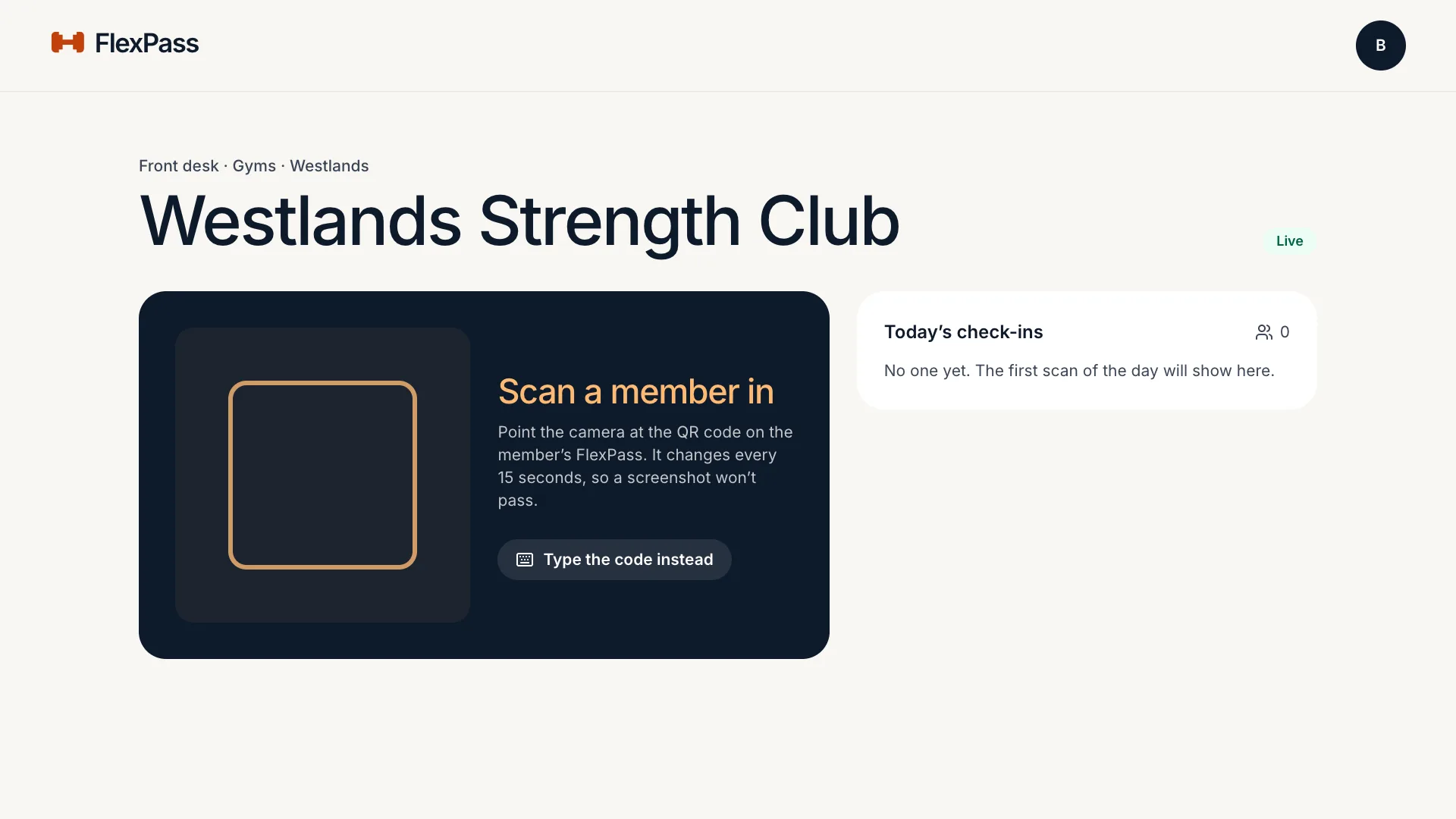
On the reception phone, tablet or computer, sign in at flexpass.africa/venue with the email your venue invited. The scanner opens straight away. A paired reception tablet is already signed in.
- 2
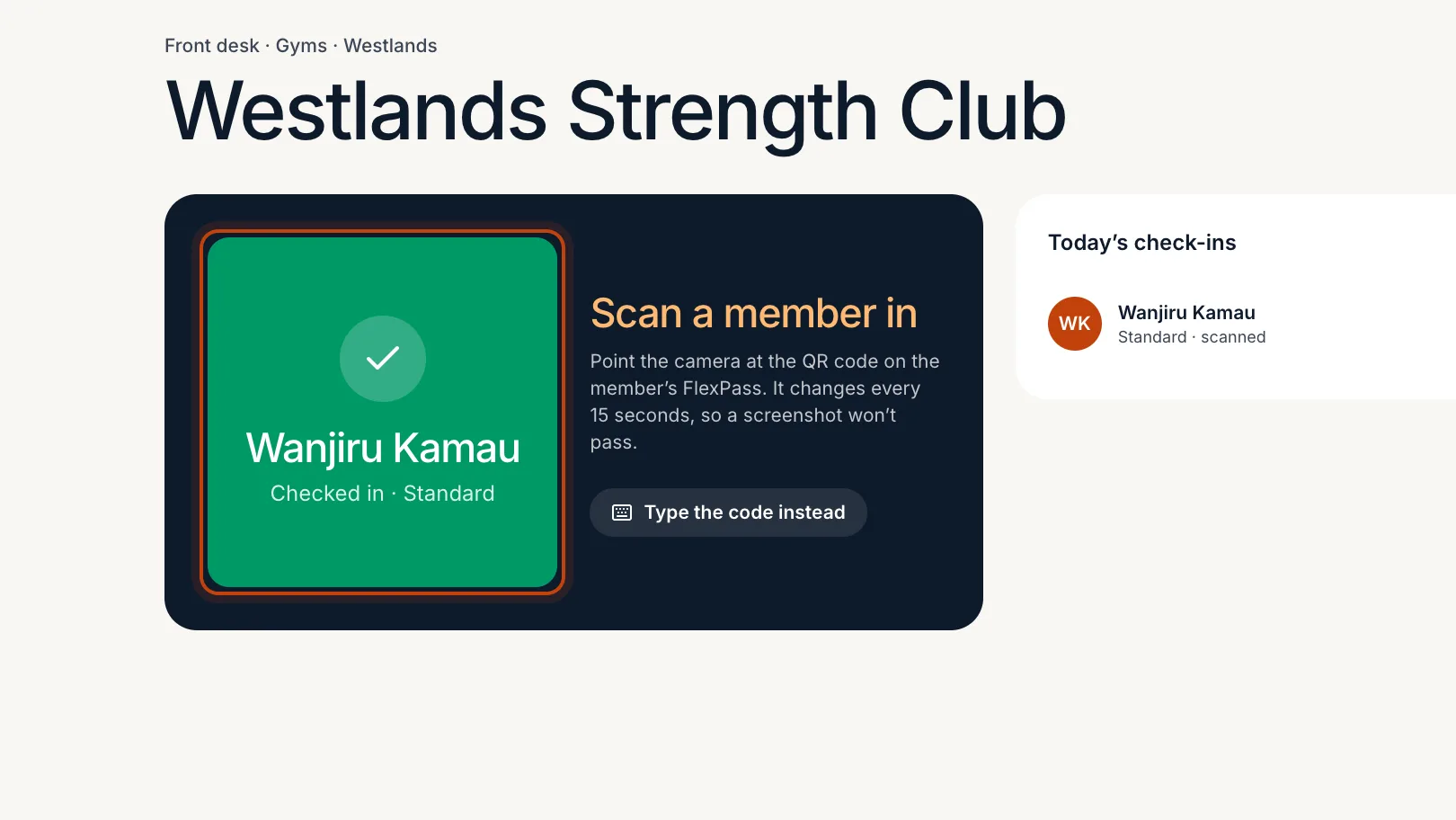
Scan the member’s pass
Ask the member to open their FlexPass and hold up the QR code. Point the camera at it. A green screen with their name means they’re checked in: let them in. The code changes every 15 seconds, so a screenshot of a pass won’t work.
- 3
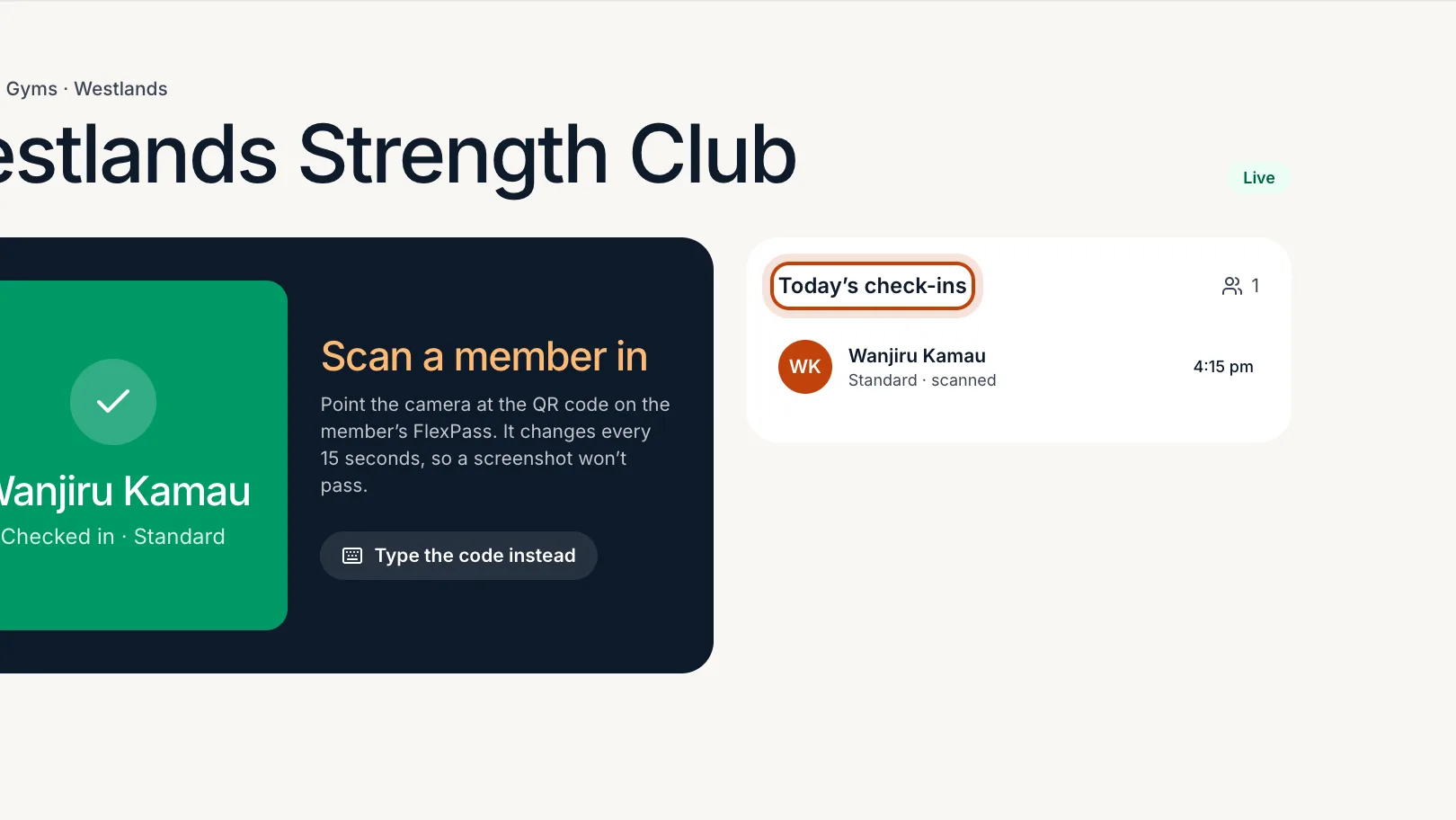
See who’s in today
Today’s check-ins lists everyone checked in at your venue today, newest first, and how: scanned, typed code, or saved offline. The scanner clears itself after a few seconds, ready for the next person.
Updated 22 November 2026. Screens may differ slightly from what you see.
More for front desk
45 secType a code when the camera can’t read it
A cracked screen or a dim light? Type the member code and the six digits instead.
59 secWhat each result means
Green, amber and red: what to do after each scan.
43 secKeep scanning without internet
No connection? Keep checking members in. Scans are saved and sent when it’s back.