Loading…
Gyms and studios 44 sec
 52 sec
 46 sec
 41 sec
 42 sec
 47 sec
Gyms and studios
Read your earnings and statements.
See when members come, what each month earned, and when your next payout is due.
Step by step
- 1
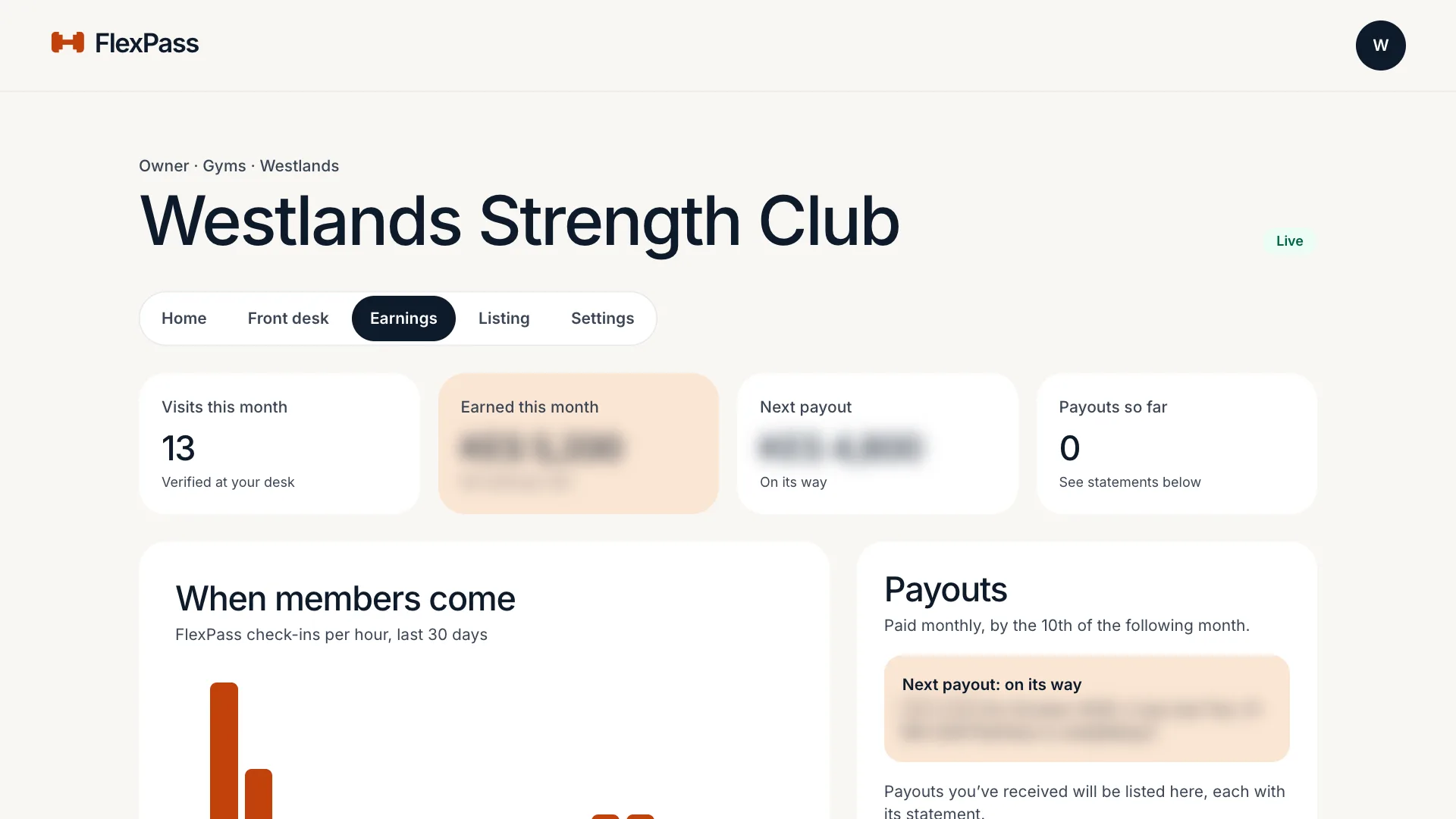
Open Earnings
Sign in at flexpass.africa/venue and open the Earnings tab. The cards at the top show this month’s visits and earnings, and your next payout.
- 2
See when members come
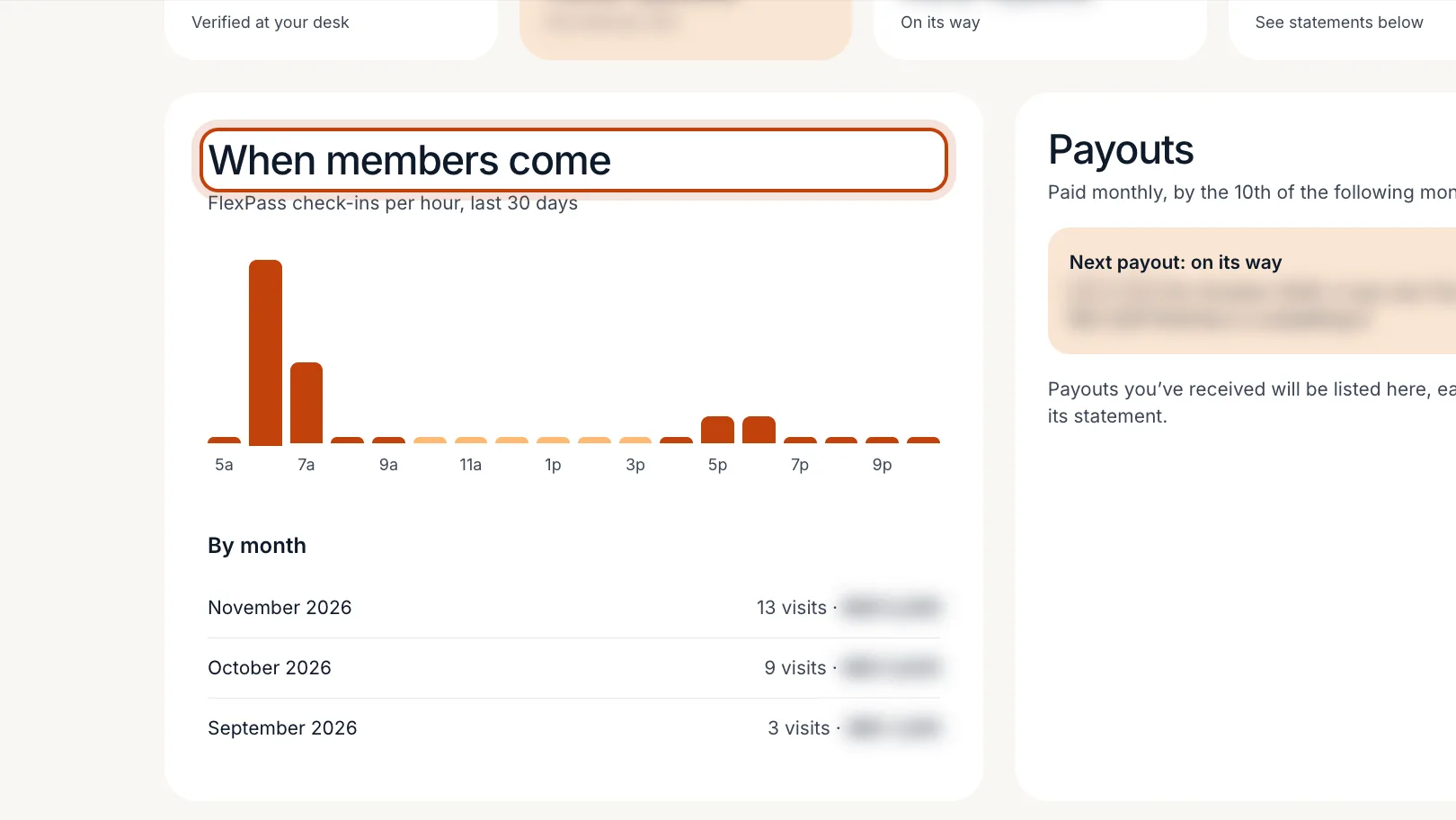
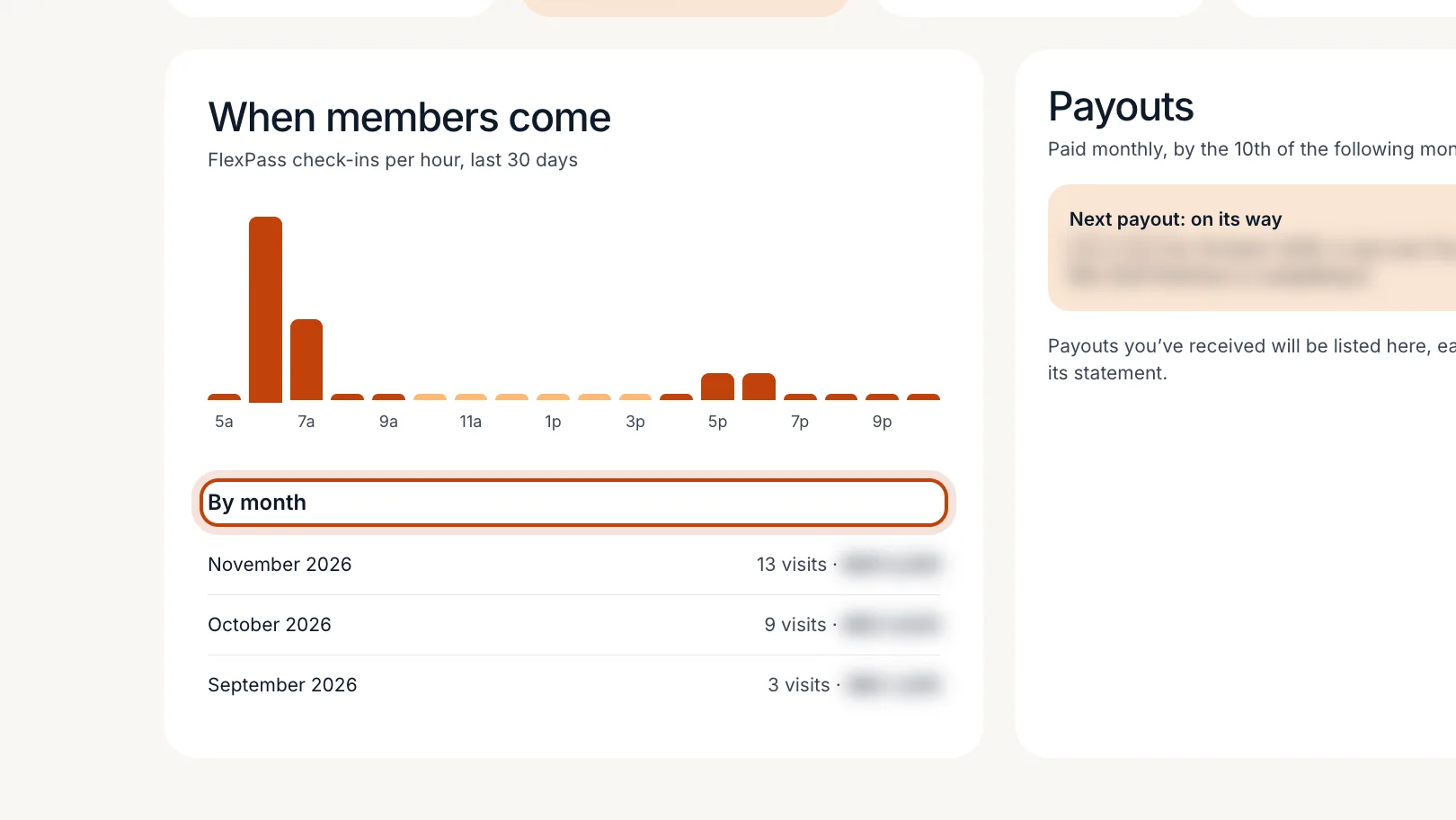
“When members come” counts FlexPass check-ins by hour over the last 30 days, so you can plan staff and classes around your busy times.
- 3
Check each month
“By month” lists verified visits and what they earned. Each visit is paid at the rate in your partner agreement.
- 4
Know when you’re paid
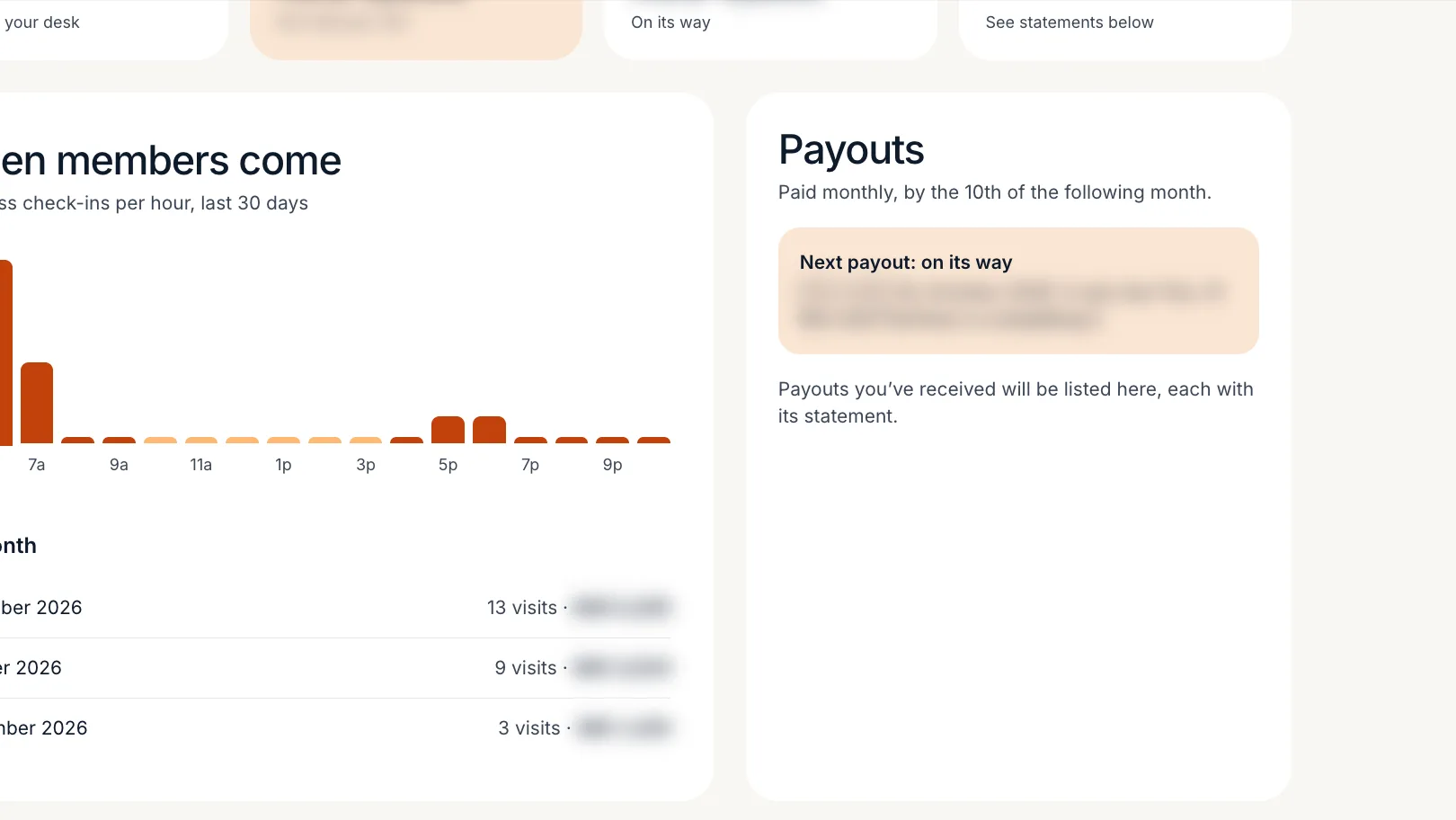
Payouts shows your schedule, the next payout and how much it is so far, and every payout you’ve received. Open a payout to see its statement: the visits it covers.
Updated 22 November 2026. Screens may differ slightly from what you see.
More for gyms and studios
44 secAccept your invitation
Open the email from FlexPass, join your venue, and see what’s left to set up.
52 secComplete your listing
Write what members see in the app: a summary, your hours, and a cover photo.
46 secSign the partner agreement
Read the agreement, type your name, and accept it for your venue.
41 secAdd payout details
Tell FlexPass where to pay you: M-PESA Paybill, Till, or a bank account.
42 secInvite your front desk
Give your reception staff their own sign-in, so they can check members in.
47 secSet up a reception tablet
Pair a shared tablet or phone at reception with a code, so it checks members in without anyone’s email.