Loading…
HR teams 54 sec
 55 sec
 51 sec
 43 sec
HR teams
Read your team’s report.
See how many of your team trained each month, without ever seeing who went where.
Step by step
- 1
Sign in to the HR portal
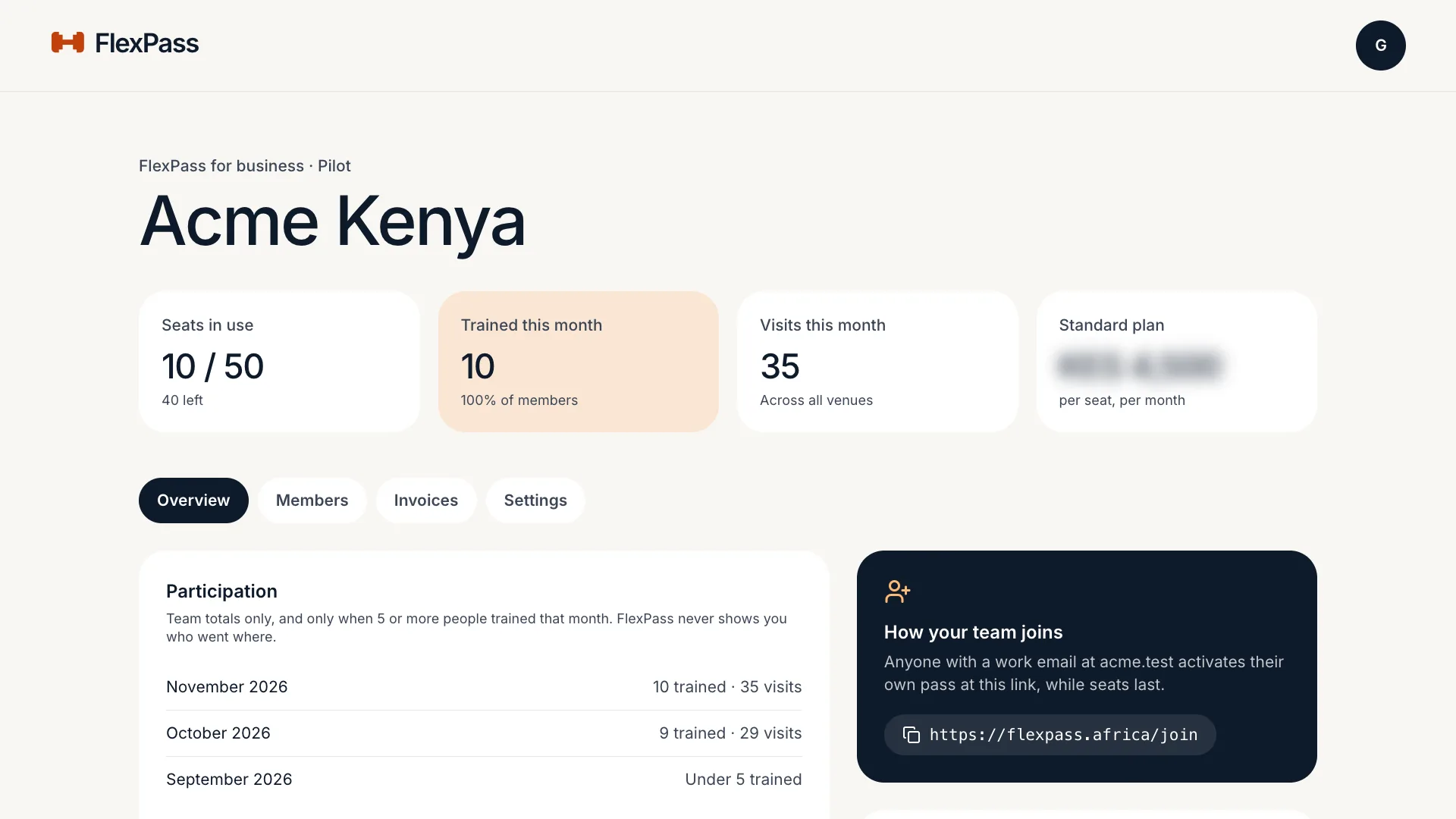
Sign in at flexpass.africa/business. The Overview tab opens first.
- 2
Check this month at a glance
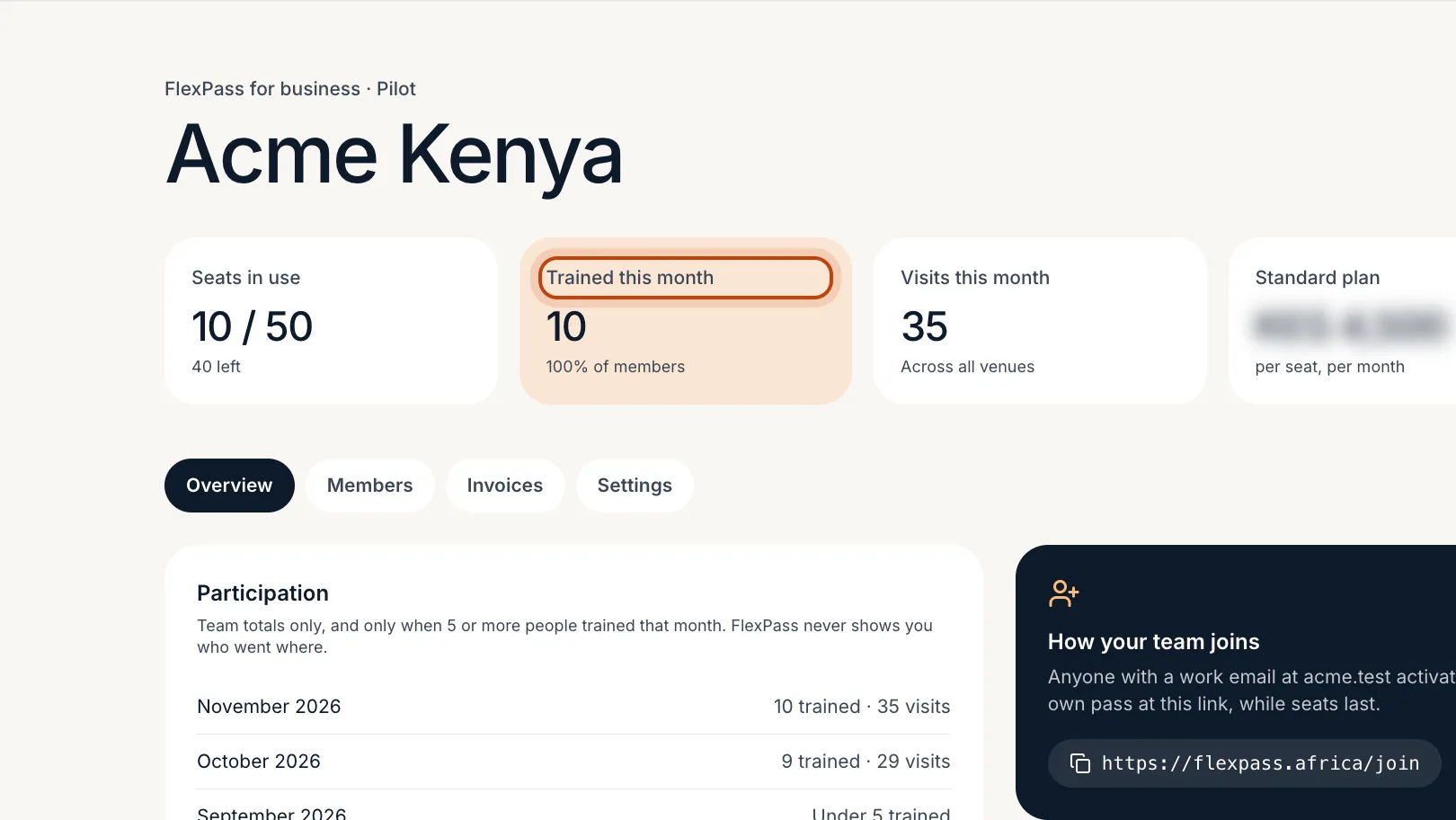
The cards at the top show seats in use and seats left, how many people trained this month and what share of your members that is, and visits across all venues.
- 3
Look back month by month
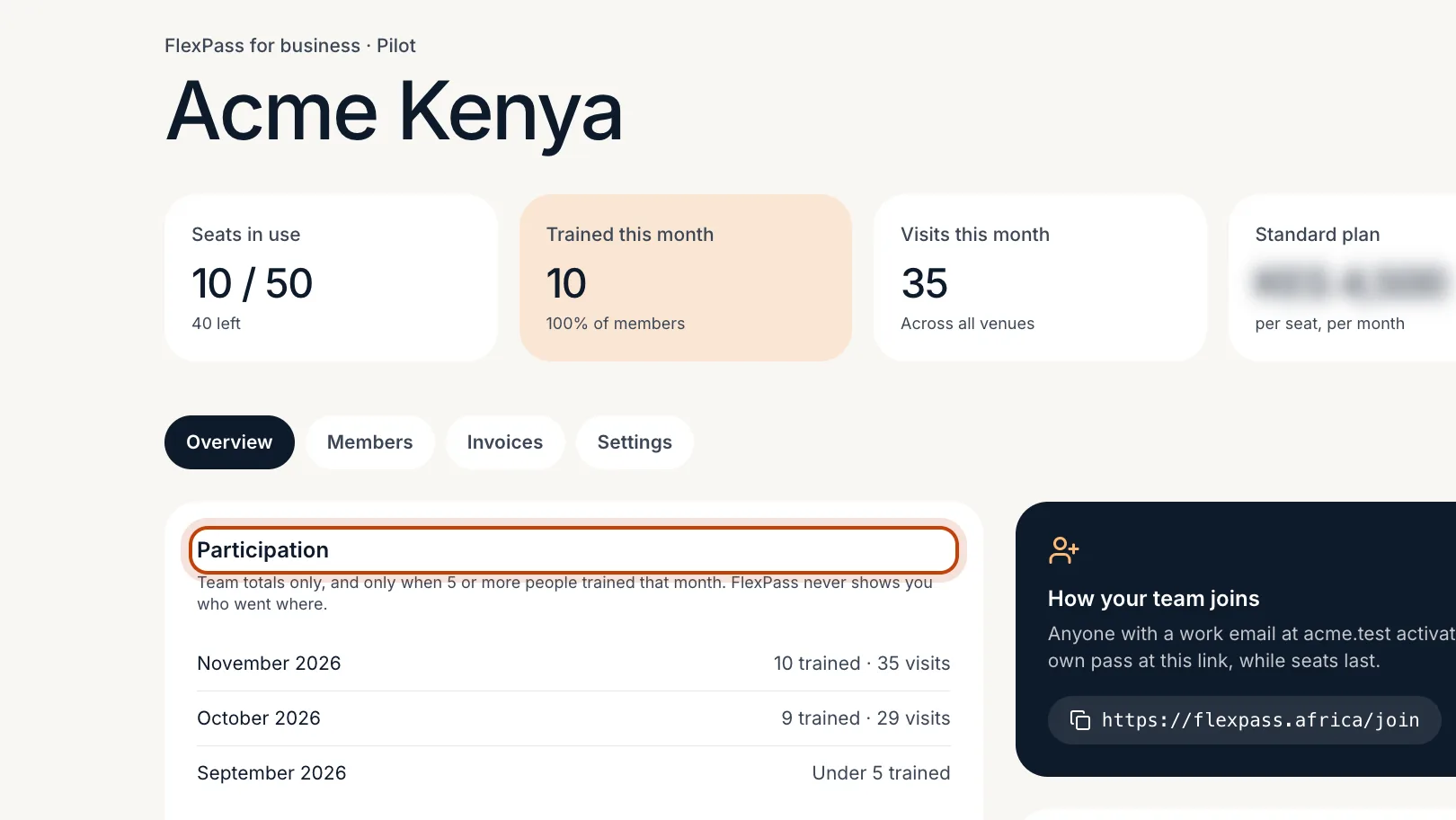
Participation lists the last six months: how many people trained and how many visits they made.
- 4
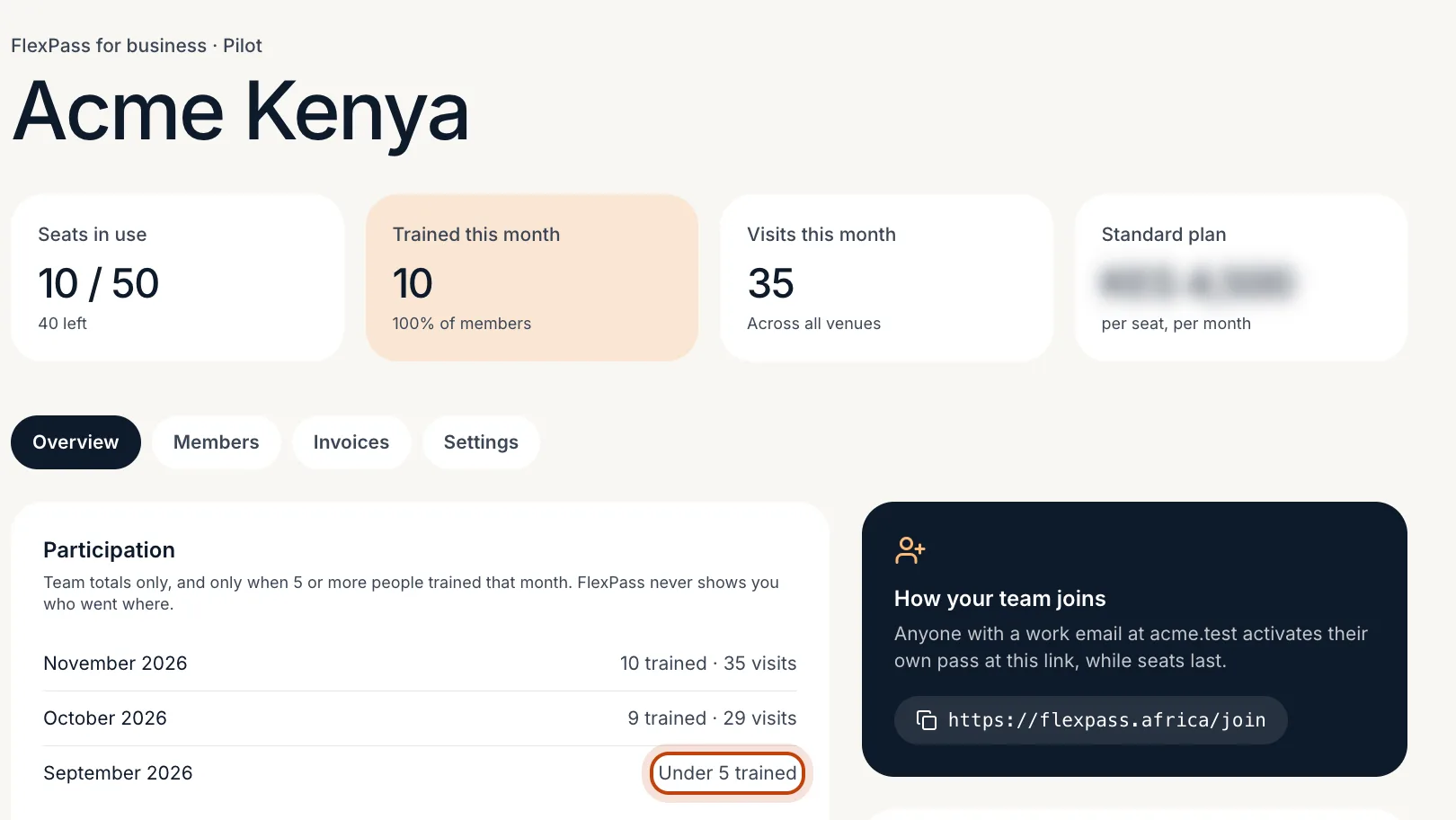
Why some months say “Under 5 trained”
FlexPass shows team totals only, and only when 5 or more people trained that month. In a small group, exact numbers could tell you who went, so they are withheld. You never see who trained, where, or when.
Updated 22 November 2026. Screens may differ slightly from what you see.
More for hr teams
54 secAccept your invitation
Open the email from FlexPass, accept, and set a password for next time.
55 secAdd staff and remove a leaver
Let people without a work email join, and end a pass when someone leaves.
51 secChoose who can join
Let anyone with a company email join, or only the people on your staff list, then share the join link.
43 secAdd another HR admin
Invite a colleague to manage FlexPass with you, and remove an admin who has moved on.