Loading…
Trainers and therapists
Trainers and therapists
Answer a booking request.
Accept a member’s request, suggest another time, or decline.
Step by step
- 1
See your requests
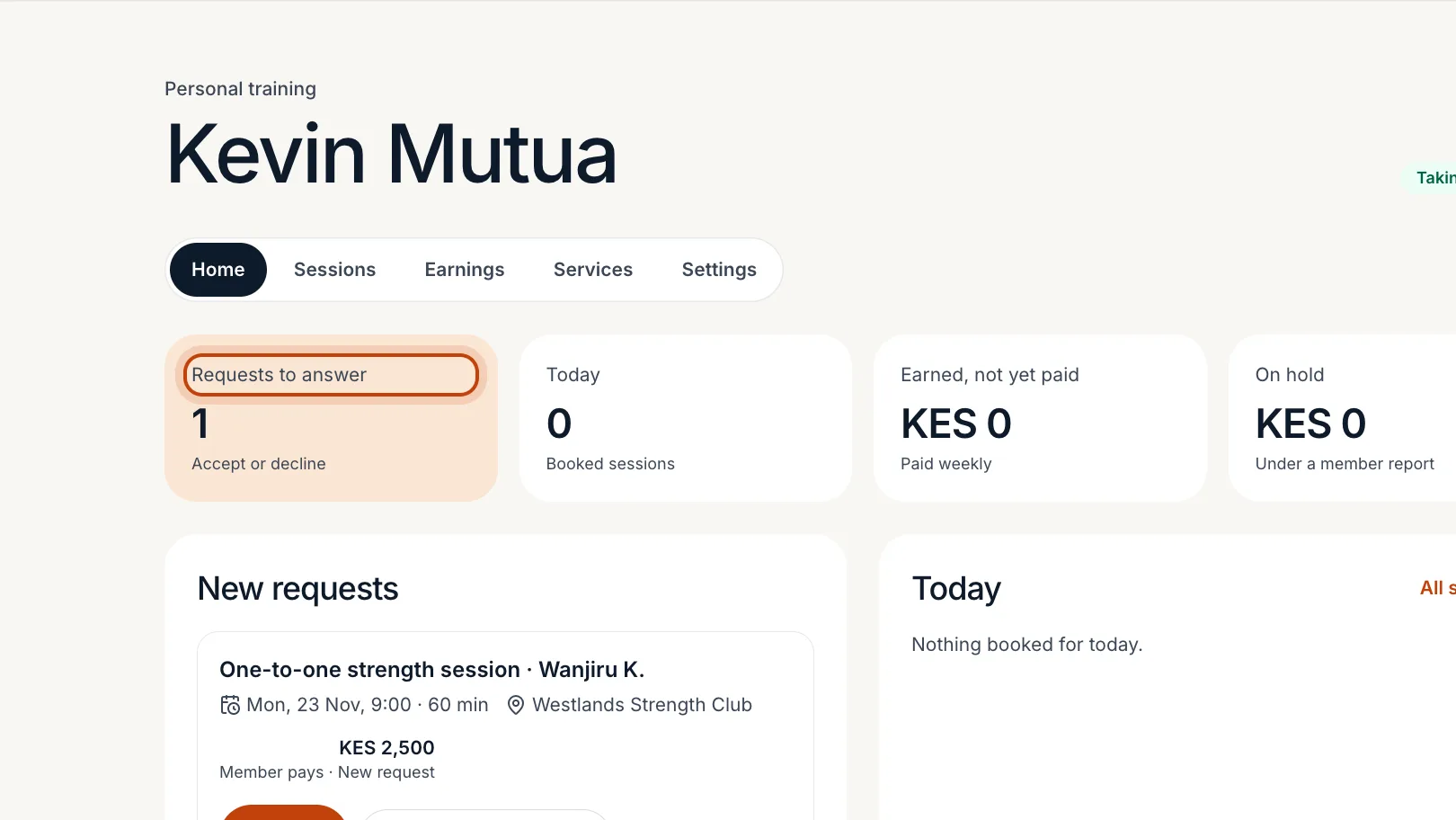
FlexPass emails you when a member asks to book you. Sign in at flexpass.africa/provider: Home shows how many requests are waiting.
- 2
Open the request
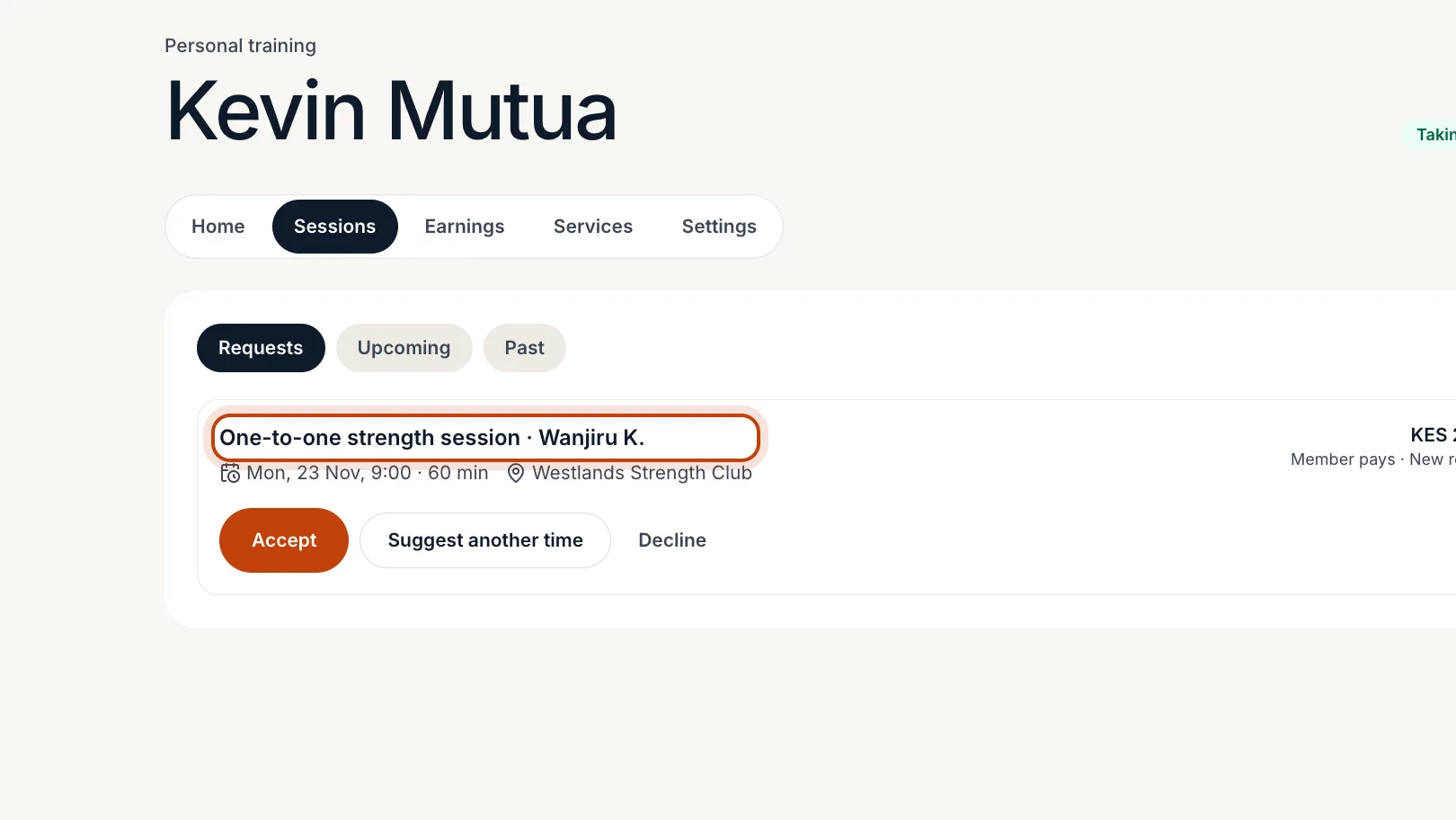
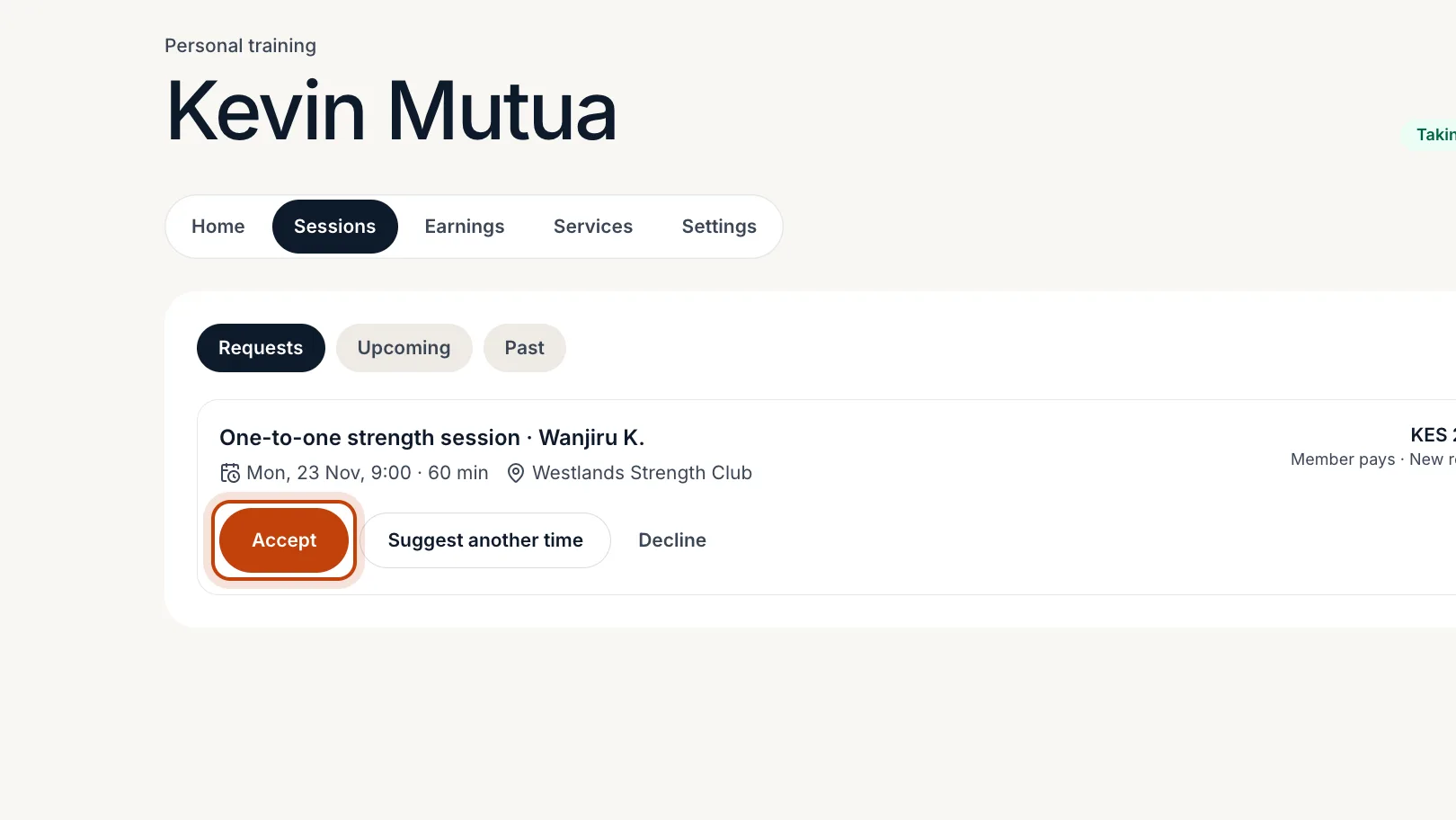
Open Sessions, then Requests. Each request shows the service, the member’s first name, the day and time, where, and the price.
- 3
Accept, move, or decline
Press Accept if the time works. “Suggest another time” sends the member a new time instead. Decline if you can’t do it. Once you accept, a session the member’s plan includes is booked straight away; otherwise the member pays in the app to confirm it, and you’re told when it’s booked.
Updated 22 November 2026. Screens may differ slightly from what you see.